Beacon — SMS Consent Flow
Step 1: Account Registration with Separate Consent
When a user creates a new Beacon account, they must agree to the Terms of Service and Privacy Policy before the account can be created. SMS consent is collected separately and is entirely optional — users can create an account and use Beacon without opting in to SMS notifications.
Two separate checkboxes are presented:
Required: "I agree to the Terms of Service and Privacy Policy."
Optional: "I agree to receive SMS notifications about event invitations."
The Sign Up button is disabled until the Terms/Privacy checkbox is checked. The SMS checkbox can remain unchecked and the user can still sign up.
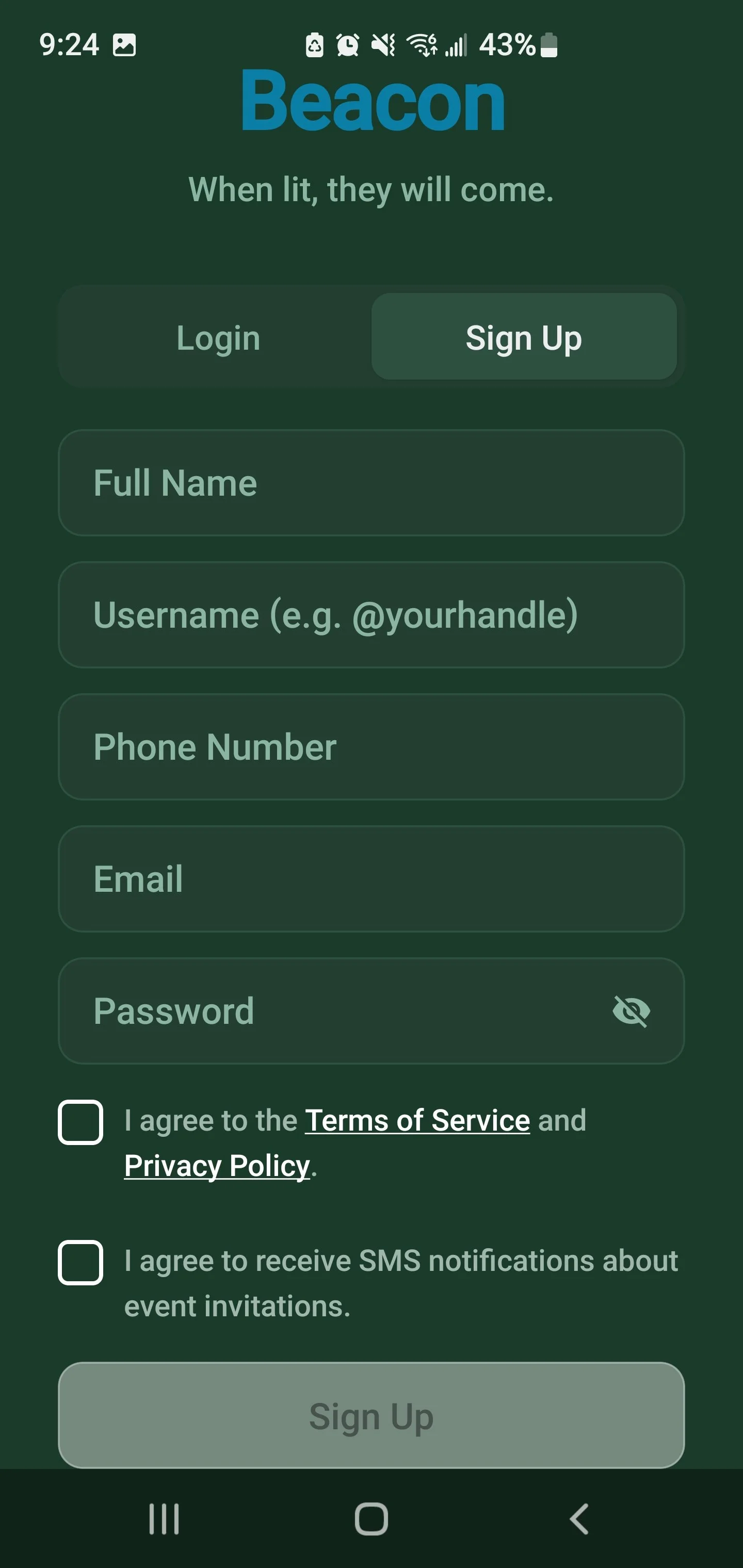
Both checkboxes unchecked. The Sign Up button is disabled. The user cannot proceed without agreeing to the Terms of Service and Privacy Policy.
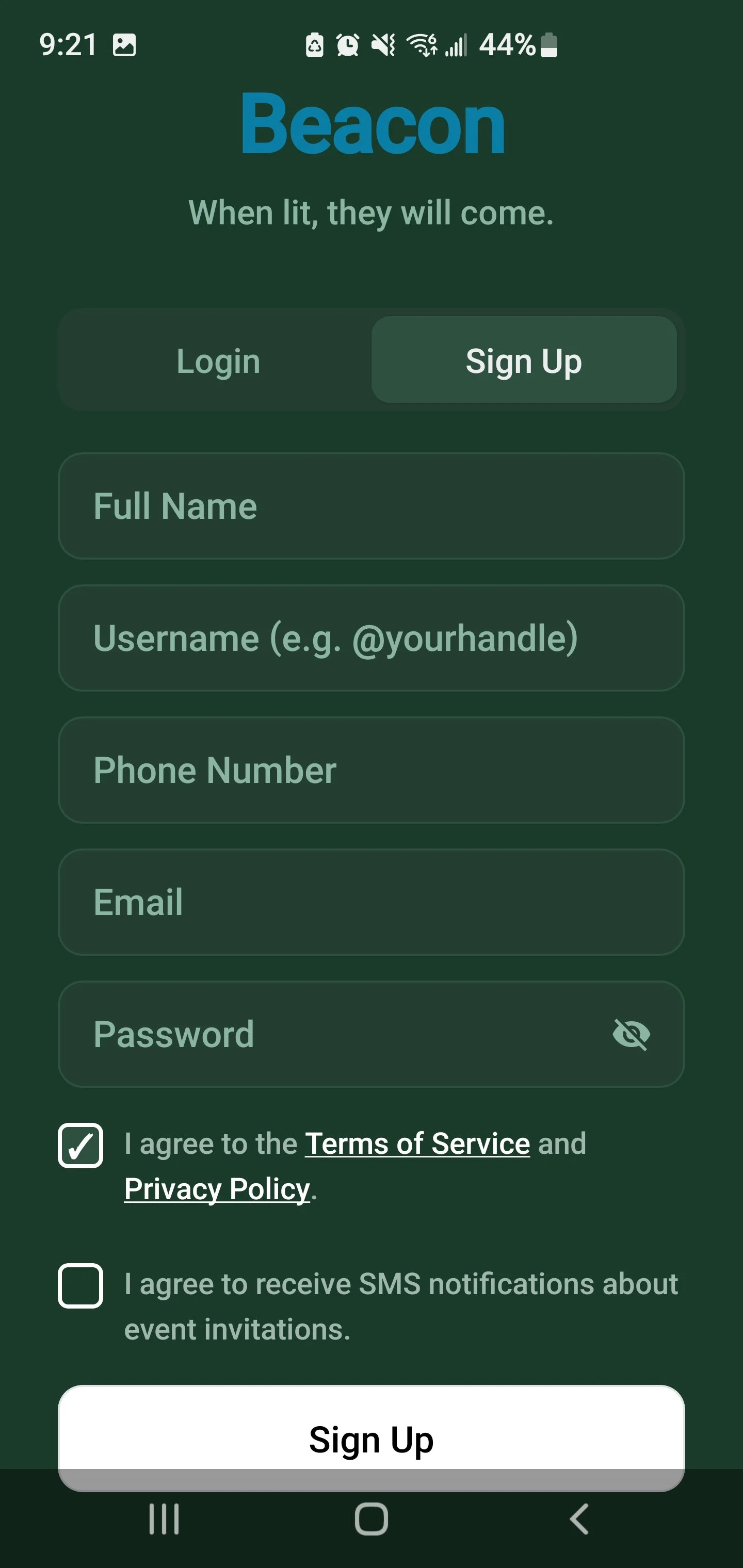
Only the Terms of Service and Privacy Policy checkbox is checked. The Sign Up button is now enabled. SMS consent remains unchecked — the user can sign up without opting in to SMS notifications.
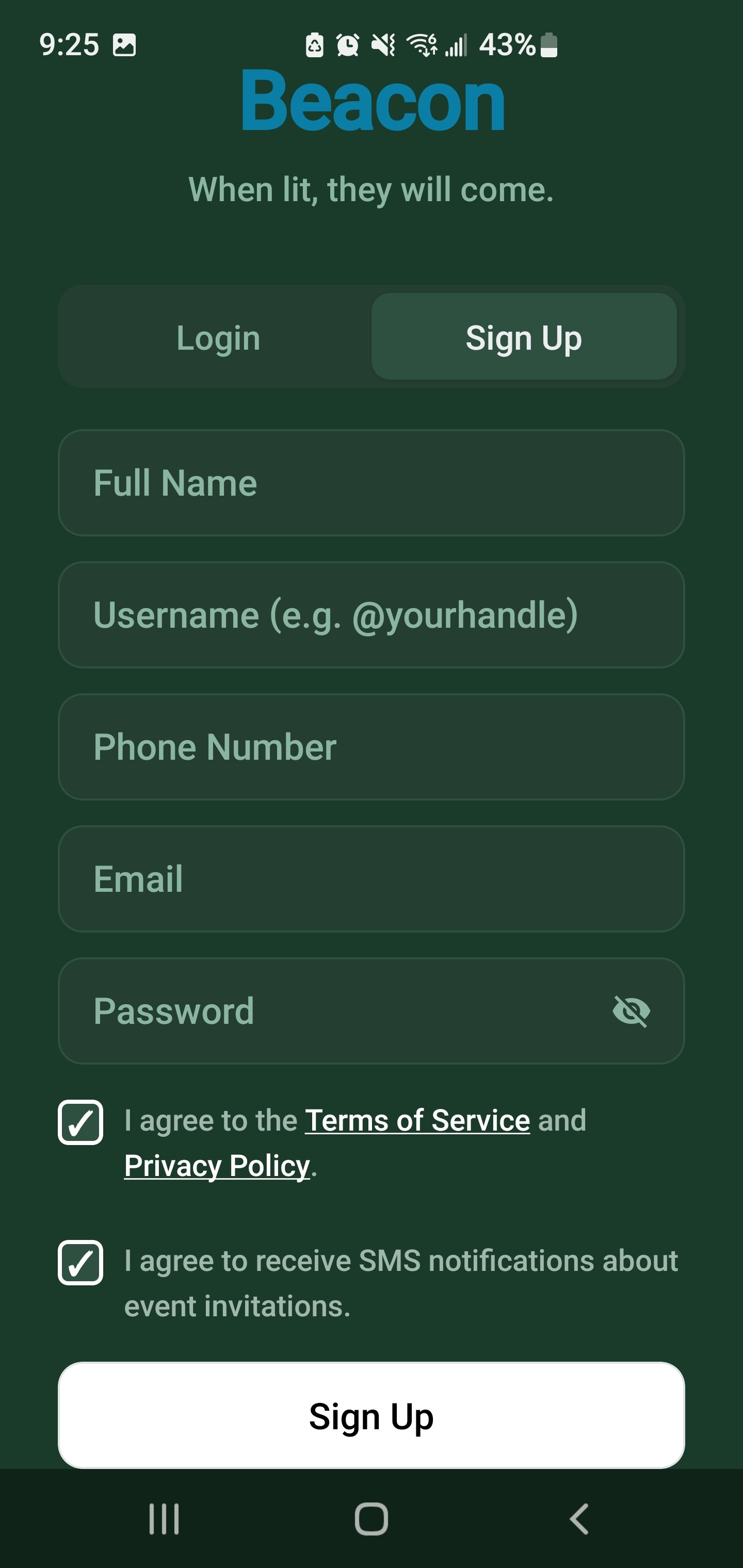
Both checkboxes checked. The user has agreed to the Terms and has voluntarily opted in to receive SMS notifications about event invitations.
---
Step 2: Event Invitation Triggers SMS
After registration, a Beacon user can create events and invite friends. When an event is created and friends are invited, each invited user with a phone number on their profile receives a one-time transactional SMS containing the event name, date, time, location, and a unique RSVP link. Messages are event-specific and not recurring.
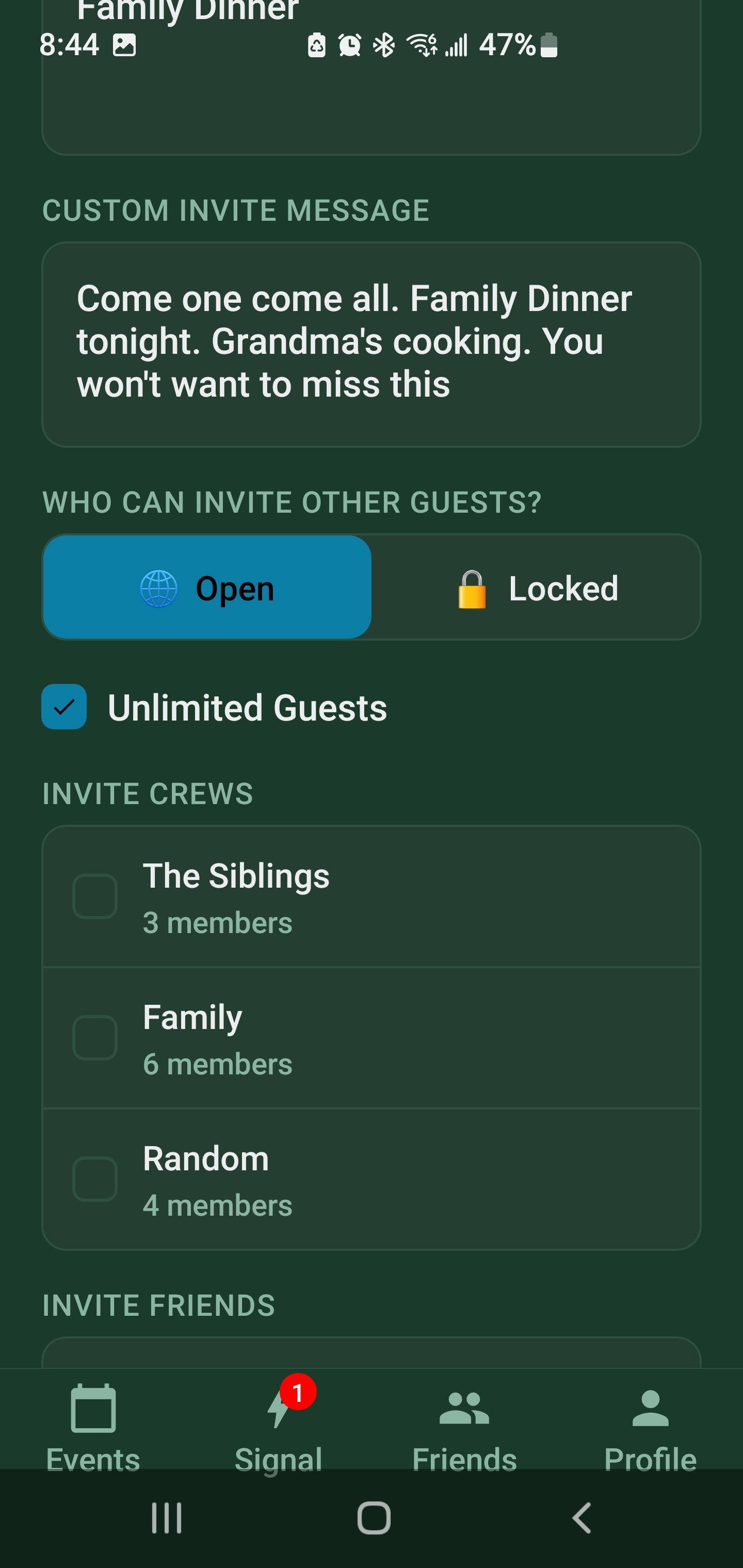
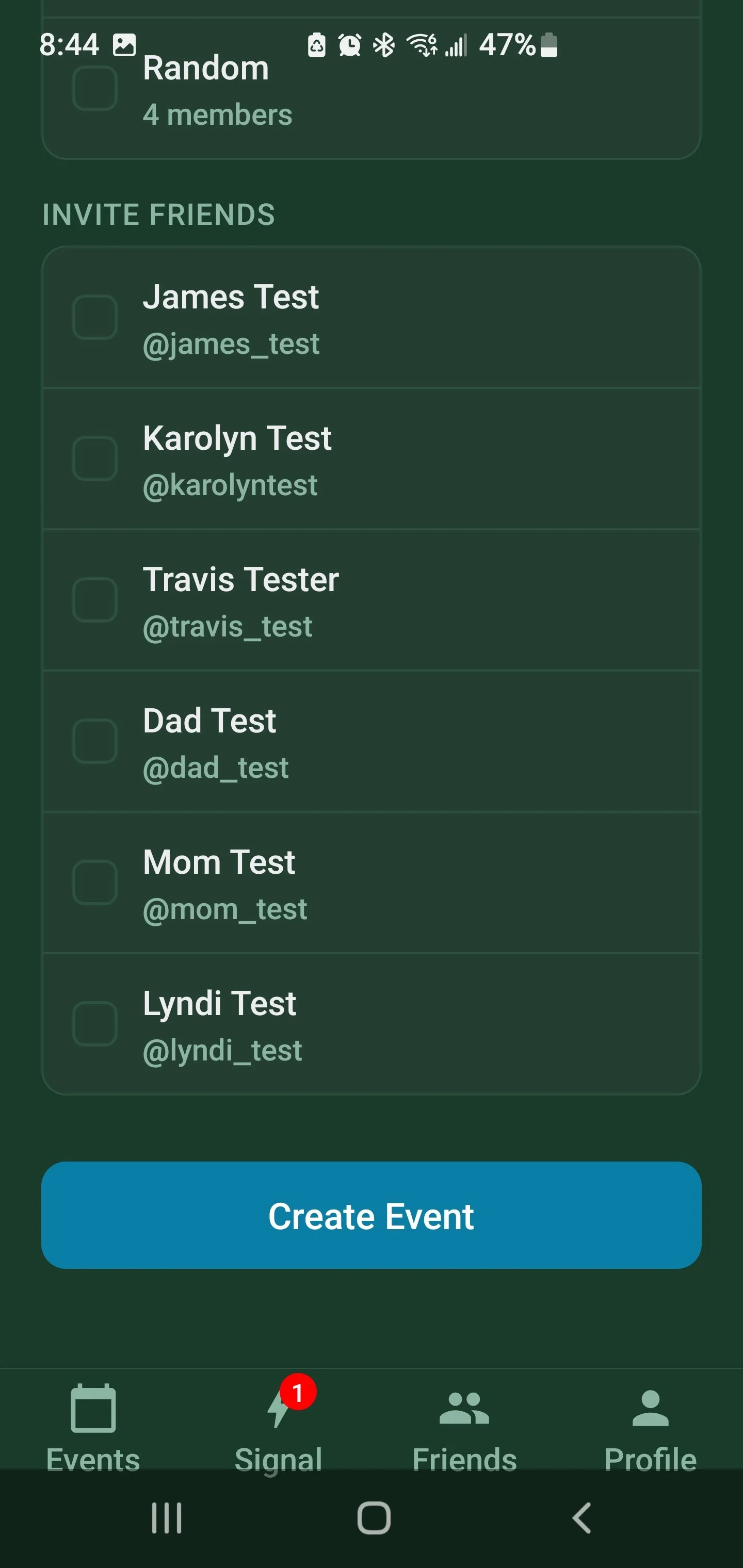
Create Event screen showing the friend and crew invite picker
---
Opt-Out and Support
Users can reply STOP to any Beacon SMS to opt out of future messages. Reply HELP for help. Users can also remove their phone number from their profile or delete their account. Message frequency varies based on event activity. Message and data rates may apply.
Privacy Policy: https://jerrster.com/beacon/privacy
Terms of Service: https://jerrster.com/beacon/terms
Contact: jerrykingglobal@gmail.com